Marking plastic is trickier than marking metal. Polymers react to laser light in very different ways: the same beam that leaves a crisp black code on one plastic can barely show on another. If you produce technical plastic parts such as connectors, housings, medical devices or automotive components, you need a mark that stays readable for the life of the part without damaging it.
This guide explains:
Not sure how your specific plastic will react? Automator can run a free marking sample on your own part before you commit, a quick way to see the real result on your material.
A laser marks plastic by delivering energy to a tiny spot on the surface. What happens next depends on the polymer, its additives, and how much heat the beam applies.
There are four main mechanisms at work:
The real challenge with technical plastics is heat. Too much energy and you deform or discolor the part; too little and the mark is faint. So plastic marking is fundamentally about control, choosing a source and settings that deliver contrast without damage. That single trade-off drives almost every decision that follows.
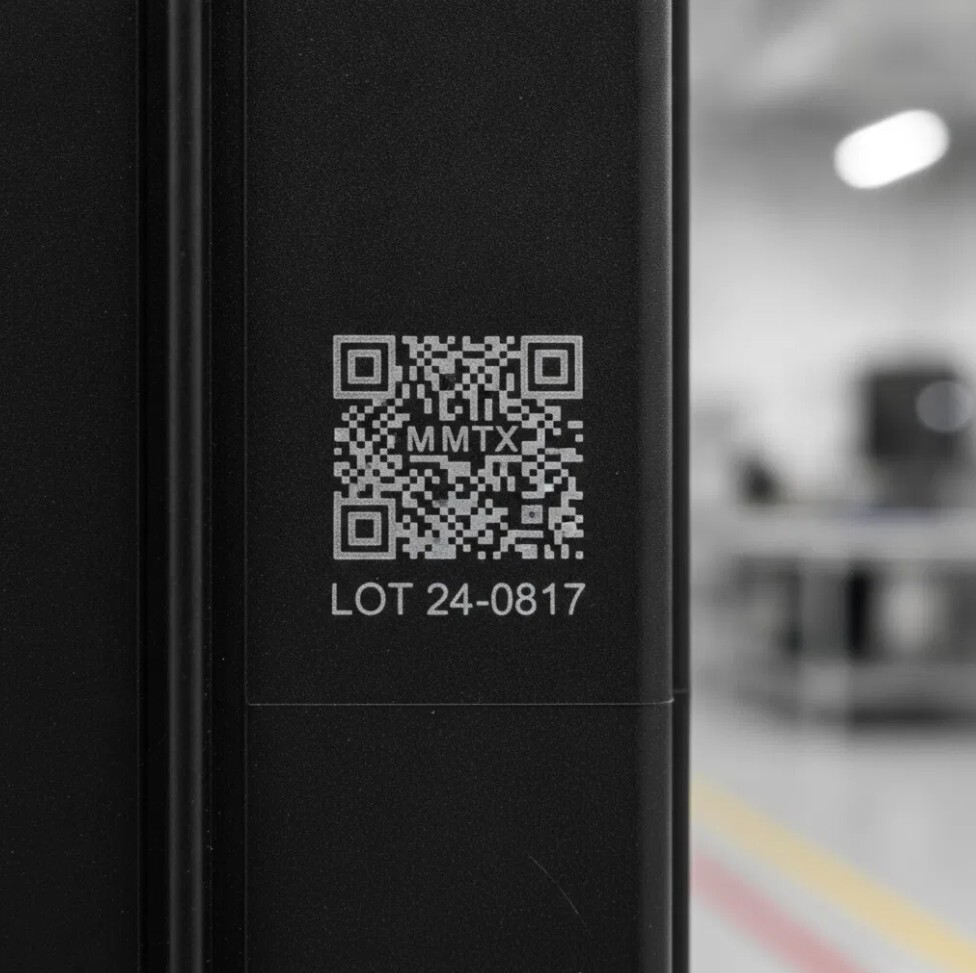
Not every laser is right for every plastic. The wavelength and the way the beam delivers its energy decide whether you get a clean, high-contrast mark or a disappointing one.
Here is how the main sources compare for plastic marking:
|
Laser source |
Wavelength |
Best for |
Typical effect on plastic |
|---|---|---|---|
|
Fiber laser |
~1064 nm |
Most technical plastics; fast industrial coding |
Color change, carbonization, foaming |
|
MOPA fiber |
~1064 nm, adjustable pulse |
Plastics needing controlled contrast and less damage |
Fine color change, reduced burning |
|
Green laser |
~515–532 nm |
Sensitive, light or reflective plastics; high contrast |
High-contrast color change, minimal heat |
|
CO₂ laser |
~10.6 µm |
Films, packaging, softer plastics |
Surface engraving, light marking |
Weighing fiber vs. green for a specific polymer? A 15-minute call with an Automator specialist usually settles it faster than reading spec sheets.


NANOVIS3 - Laser in class 4


VISII - Laser in class 4


GREENVISII - Laser in class 4


EOS Pro - Laser safety system - Class 1


FYBRAII - Laser in class 4


Portable laser marker Colibrì 20-30 W


MOPA3 - Laser in class 4
.jpg?name=&width=250&height=250&name=UBI_BASIC_01%20(7).jpg)
.jpg?name=&width=1921&height=1766&name=UBI_BASIC_01%20(7).jpg)
UBI Basic - Laser marking system in Class 1


PRIMA2 - Laser marking system - Class 1


EOS - Class 1 laser safety system
.jpg?name=&width=250&height=250&name=AURA_01%20(2).jpg)
.jpg?name=&width=1921&height=1766&name=AURA_01%20(2).jpg)
AURA - Laser marking system - Class 1


ATF laser marking system - Class 1


CleanAir - Fume extractor


S.W.Y.M. (See What You Mark) - Vision, verifying and grading system
Here are the laser products most relevant to plastic marking:
|
Machine / range |
Type |
Safety class |
Where it fits |
|---|---|---|---|
|
MOPA3 |
MOPA fiber source |
Class 4 |
Controlled color and contrast on technical plastics |
|
FYBRAII |
Fiber source |
Class 4 |
Fast, general-purpose plastic coding |
|
GREENVISII |
Green laser source |
Class 4 |
Sensitive, light or reflective plastics |
|
VISII / NANOVIS3 |
Compact laser |
Class 4 |
Compact integration and small parts |
|
AURA / PRIMA2 / EOS PRO/ EOS |
Enclosed laser systems |
Class 1 (CE) |
Operator-safe, ready-to-use workstations |
|
UBI Basic |
All-in-one system |
Class 1 (CE) |
Enclosed system with integrated laser |
|
Colibrì 20–30 W |
Portable / handheld laser |
Class 1 |
Large or fixed parts, remote locations |
Tell us the polymer and the mark you need: Automator will recommend the source and run a free sample on your own part.
Technical plastics behave very differently under a laser. Additives, pigments, flame retardants, and glass-fiber fillers all change the result, sometimes more than the base polymer itself.
|
Plastic |
Common uses |
Recommended source |
Notes |
|---|---|---|---|
|
ABS |
Housings, electronics |
Fiber / MOPA |
Reliable color change; MOPA for finer contrast |
|
Polycarbonate (PC) |
Displays, medical |
MOPA / Green |
Heat-sensitive; lower energy avoids clouding |
|
Polyamide (PA / Nylon) |
Connectors, automotive |
Fiber / MOPA |
Often filled; result varies with glass content |
|
PEEK |
Medical, aerospace |
Fiber / MOPA |
Marks well; high-value parts need testing |
|
Polypropylene / PE |
Packaging, containers |
CO₂ / Fiber |
Low contrast; additives help |
|
PET |
Bottles, films |
CO₂ / Fiber |
Common for coding and traceability |
|
PMMA (Acrylic) |
Signage, optics |
CO₂ |
Clean engraving on softer acrylic |
Laser marking on plastic is used anywhere parts need permanent, legible identification for traceability, branding or regulatory compliance, such as:
Across all of these, the common thread is traceability: a mark that stays readable for the life of the part, without slowing the line or weakening the component. That is exactly where the right combination of source and safety class pays off.
Whatever your sector, Automator can match the source, the safety class and the integration to your parts, and prove it with a sample on your material.
No. With the right source and settings, the mark stays on the surface without compromising the part. Damage usually comes from too much energy on a heat-sensitive polymer, which is why controlled sources like MOPA and green lasers are preferred for delicate plastics.
Sometimes. Low-contrast plastics such as natural polypropylene may need a laser-sensitive additive to produce a clear mark. Most colored technical plastics need no additive. Testing tells you quickly.
Laser marks are integrated into the surface, so they resist abrasion, chemicals and washing far better than ink or labels, which is why regulated sectors rely on them for traceability.
Class 1 is fully enclosed and CE-certified, safe to use as delivered. Class 4 is the open source that an integrator must enclose to meet EU safety rules. Class 1 is simpler; Class 4 offers more integration flexibility.
Laser marking on plastic comes down to one idea: match the laser source and the safety class to your polymer and your line. Get that right and you get a permanent, legible mark with no damage; get it wrong and you get faint codes or warped parts.
Automator’s range covers every step of that decision from fiber and MOPA sources to green lasers, Class 1 enclosed systems and a portable option, backed by more than 80 years of marking know-how and long-term support. To see the result on your own plastic before you invest, request a free marking sample or talk to an Automator specialist. You can also explore the full laser marking machines range and the dedicated plastic engraving machines page.
475 Douglas Ave, Chillicothe
OH 45601
USA
Phone: +1 740-983-0157
Mail: infousa@automator.com